

Why Your Snowflake Syncs Are Slower Than They Should Be
Historically, tap-snowflake pulled data the way most Singer taps do: row by row, serialized as JSON records. That works fine for small tables. But at scale, every single row gets boxed, serialized, and passed through the pipeline on its own, and that overhead adds up fast on large tables.
The frustrating part: Snowflake’s wire protocol is already Arrow-native under the hood. The performance was sitting right there in the existing connection, just unused.
The Fix Was Already Built Into Snowflake: Meet Arrow Batch Mode
tap-snowflake now supports a real arrow option for batch_config.encoding.format, alongside the existing jsonl path. For the technically curious, here’s what changed under the hood:
- A new SnowflakeArrowBatchWriter buffers Arrow tables by row count and flushes each batch to an Arrow IPC file.
- The arrow path fetches query results natively as Arrow via snowflake-connector-python’s fetch_arrow_batches(), reusing the same DBAPI cursor as the existing SQLAlchemy connection. No second driver or connection needed.
- The only new dependency is pyarrow.
That last point matters: the original plan was to bring in a second driver, adbc-driver-snowflake, mirroring the approach used for tap-postgres. The team skipped that route once they confirmed Snowflake’s wire format was already Arrow-native, keeping the change lean and avoiding a whole extra connection to manage.
The Results: Up to 13x Faster Extraction
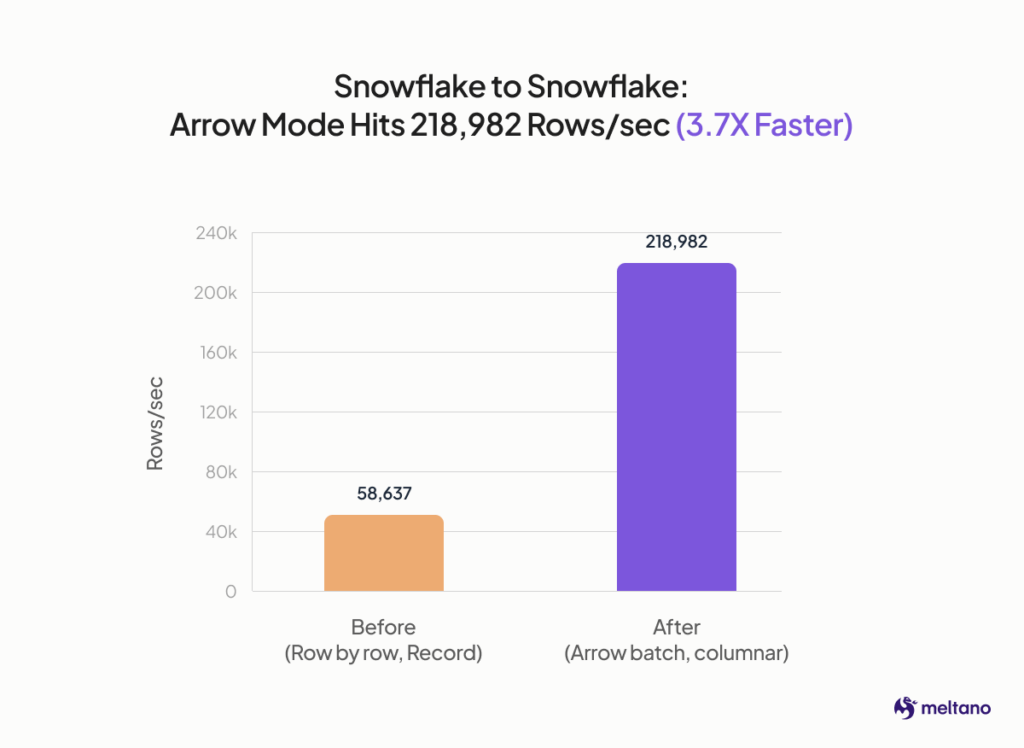
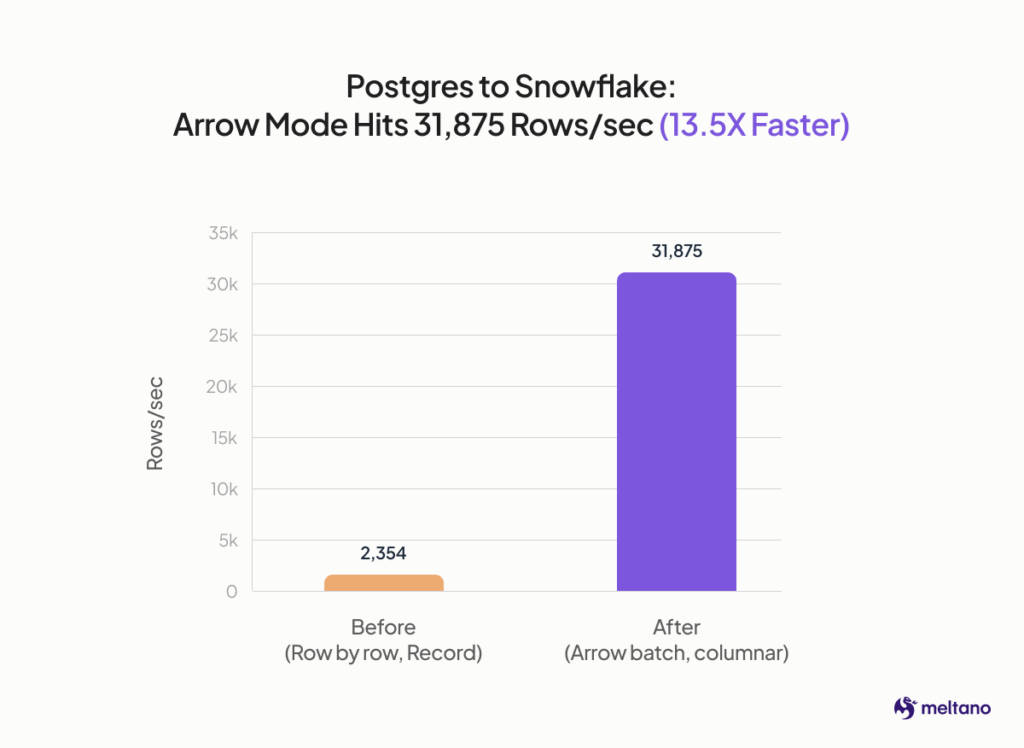
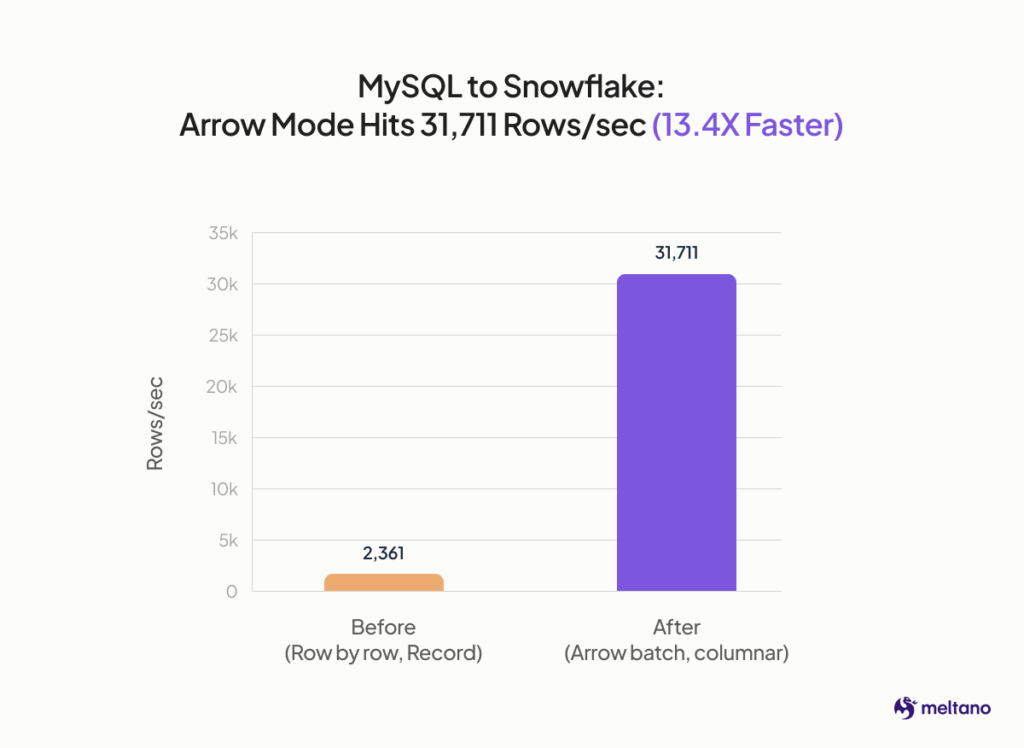
Early benchmarking shows batch mode substantially outperforming record mode across every source tested:
Turn On Arrow Batches and Feel the Difference Today
The switch itself is small: set batch_config.encoding.format to arrow in your config, and tap-snowflake handles the rest. No new infrastructure, no second connection to manage, no schema changes on your end.
If you’re already running Meltano with tap-snowflake, this is a config change, not a migration. And if you’re not on Meltano yet and you’re dealing with slow Snowflake extraction, this is a good excuse to see what an Arrow-native pipeline feels like in practice. Spin up a project and give it a try on your next large sync.